


Features
progeCAD 2026
AutoCAD LT
AutoCAD FULL
Trajna Licenca


Zemlja
Made in EU
Made in US
Made in US
Probni period
30 dana
15 dana
15 dana
Cijena za 5 godina
390,00 €
2.445,00 €
9.950,00 €
Full compatibility with AutoCAD® DWG files
Support for DWG from 2.5 to 2024
DWT, DXF, DGN import/export
IFC and BIM file support
PDF import/export
Raster Image management
DWF, DGN, DGN Underlay
Point Cloud support
AutoCAD CUI import
AutoLISP support
DIESEL expression support
Express Tools
Tool Palettes
Sheet Set Manager
PDF to DWG converter
DGN to DWG converter
3D PDF export
Google Earth KML/KMZ Export
STL import/export
IGES/STEP support
SHP file support
Import BIM IFC and Revit
Advanced hatches and gradients
Associative Dimensions
Multileaders
Revision Clouds
Tables and Fields
Tool palettes and blocks manager
Annotative Objects
Dynamic Input
Layers and Layer Filters
Fields
Drawing Recovery
Native DWG/DXF
Hatch Editing
Solid Modeling
3D PDF
3D Rendering
3D navigation tools
3D navigation tools
Visual Styles
Material Editor
Advanced blocks (Dynamic/Parametric)
Express tools
Tool Palettes
PDF Underlay
Raster to Vector conversion
EasyArch plugin (2D/3D architectural tools)
Smart Voice Notes
iCADLib Blocks Manager
Tables with formulas
Edit multiple drawings
AutoLISP
Block Libraries
Batch Plot
IFC import
BIM IFC Entity Properties
BIM .rvt (Revit) file underlay
AEC objects visualization
U nastavku možete konkretno vidjeti prednosti progeCAD 2D/3D Professional u usporedbi s višestruko skupljima AutoCAD LT i AutoCAD full verzijama. Osim što je progeCAD samo djelić cijene AutoCAD-a, progeCAD dolazi sa trajnim licencama dok AutoCAD dolazi samo u obliku pretplate na jednu ili tri godine.

| progeCAD 2024 | AutoCAD | ||
|---|---|---|---|
| Full | LT | ||
| Perpetual License – Trajno Vlasništvo Licence | ✅ | ❌ | ❌ |
| Native DWG | ✅ | ✅ | ✅ |
| DWG for AutoCAD version 2.5 to 2024 | ✅ | ✅ | ❌ |
| Classic Toolbars and Ribbon GUI support | ✅ | ✅ | ✅ |
| Ribbon Contextual | ✅ | ✅ | ✅ |
| CUI menu support | ✅ | ✅ | ✅ |
| 3D PDF Export | ✅ | ❌ | ❌ |
| EasyArch 3D (Architectural plugin) | ✅ | ❌ | ❌ |
| Revit Import | ✅ | ❌ | ❌ |
| IFC (BIM) Import | ✅ | ❌ | ❌ |
| AEC, Civil, GeoMaps and Mechanical Objects Visualization | ✅ | ✅ | ✅ |
| GeoMapService | ✅ | ❌ | ❌ |
| MapImport | ✅ | ❌ | ❌ |
| ESRI-SHAPE Importer (.shp) graphic & data | ✅ | ❌ | ❌ |
| Geolocation with interactive background map from Microsoft Bing | ✅ | ✅ | ✅ |
| Importing Autodesk SDF (Spatial Data Files) | ✅ | ❌ | ❌ |
| STEP/IGES import/export | ✅ | ✅ | ❌ |
| SolidWorks Import | ✅ | ❌ | ❌ |
| DataLink | ✅ | ✅ | ✅ |
| XLSImport | ✅ | ❌ | ❌ |
| Tool Palettes | ✅ | ✅ | ✅ |
| Properties palette | ✅ | ✅ | ✅ |
| Superhatch | ✅ | ✅ | ❌ |
| Quick Properties Palette | ✅ | ✅ | ✅ |
| Construction Lines | ✅ | ❌ | ❌ |
| AddSelected | ✅ | ✅ | ✅ |
| Drawing recovery | ✅ | ✅ | ✅ |
| Perspective image correction | ✅ | ❌ | ❌ |
| In-Place Text Editor | ✅ | ✅ | ✅ |
| MapImport | ✅ | ❌ | ❌ |
| Slope Tool (topographic) | ✅ | ❌ | ❌ |
| Autosez Tool (Automatic creation of Surface profiles) | ✅ | ❌ | ❌ |
| WorkSpaces Support | ✅ | ✅ | ✅ |
| Default Layer for Hatches and Dimensions | ✅ | ✅ | ✅ |
| Fade for Xref, Locked Layer and Refedit | ✅ | ✅ | ✅ |
| Dynamic Input | ✅ | ✅ | ✅ |
| Export to DWF | ✅ | ✅ | ✅ |
| Integrated Cloud Service | ✅ | ✅ | ✅ |
| Tables creation/editing | ✅ | ✅ | ✅ |
| Tables with Styles | ✅ | ✅ | ✅ |
| Formulas in Tables | ✅ | ✅ | ✅ |
| Numbered Markers (BubblesBaloons) | ✅ | ❌ | ❌ |
| Associative Array | ✅ | ✅ | ✅ |
| User Profiles support | ✅ | ✅ | ✅ |
| PC3 Support | ✅ | ✅ | ✅ |
| Annotative Objects | ✅ | ✅ | ✅ |
| QRCODE | ✅ | ❌ | ❌ |
| AreaText (Insert the area text of a boundary area) | ✅ | ❌ | ❌ |
| Publish (Batch Plot) | ✅ | ✅ | ✅ |
| AutoPublish | ✅ | ✅ | ❌ |
| SheetSets | ✅ | ✅ | ✅ |
| Multiple Paper Spaces (layouts) | ✅ | ✅ | ✅ |
| AutoCAD 3D surface commands | ✅ | ✅ | ❌ |
| ACIS viewing | ✅ | ✅ | ✅ |
| Full ACIS modeling & editing | ✅ | ✅ | ❌ |
| 3DWALK + 3DFLY | ✅ | ✅ | ❌ |
| 3D Print | ✅ | ✅ | ❌ |
| Flatshot | ✅ | ✅ | ❌ |
| Loft and Helix commands | ✅ | ✅ | ❌ |
| XRef Manager | ✅ | ✅ | ✅ |
| Xref Notify | ✅ | ✅ | ✅ |
| MTEXT support via external editor | ✅ | ✅ | ✅ |
| Hatch editing | ✅ | ✅ | ✅ |
| Open/Import Microstation files (.dgn, .dgnlib, .rdl, .cel) | ✅ | ✅ | ✅ |
| Raster Image Display (image management) | ✅ | ✅ | ✅ |
| Image polygonal clip | ✅ | ✅ | ✅ |
| Rendering | ✅ | ✅ | ❌ |
| Image menu | ✅ | ✅ | ✅ |
| CTB color table files / STB style table files | ✅ | ✅ | ✅ |
| PointCloud Import | ✅ | ✅ | ❌ |
| Export to Google Earth® | ✅ | ✅ | ✅ |
| AutoCAD® Command Line | ✅ | ✅ | ✅ |
| AutoCAD® menu and script files | ✅ | ✅ | ✅ |
| Explorer for managing layers, blocks, line types | ✅ | ✅ | ✅ |
| TIN surface from points | ✅ | ❌ | ❌ |
| Apparent & Extended intersection snap | ✅ | ✅ | ✅ |
| Polar Tracking | ✅ | ✅ | ✅ |
| Selection Cycling | ✅ | ✅ | ✅ |
| Express Tools (Details) | ✅ | ✅ | ❌ |
| Block Editor (BEDIT) | ✅ | ✅ | ✅ |
| Refedit ( Edit locally individual objects within a Block) | ✅ | ✅ | ✅ |
| 2D/3D Wood Details, Steel and Profiles Standards (Imperial/Metric) | ✅ | ❌ | ❌ |
| Layer Manager ( Save and Restore Layers configurations) | ✅ | ✅ | ✅ |
| ETrack | ✅ | ✅ | ✅ |
| Digital Signature to DWG | ✅ | ✅ | ✅ |
| Visual Menu Customization | ✅ | ✅ | ✅ |
| ActiveX, including in-place editing | ✅ | ✅ | ❌ |
| Solutions Development System (IRX – similar to ARX – SDS/ADS C++) | ✅ | ✅ | ❌ |
| AutoLISP | ✅ | ✅ | ✅ |
| Script Recorder | ✅ | ✅ | ❌ |
| COM support | ✅ | ✅ | ❌ |
| .NET support | ✅ | ✅ | ❌ |
| Visual Basic for Applications (VBA) | ✅ | ✅ | ❌ |
| External VBA file loading (multiple .vbi) | ✅ | ✅ | ❌ |
| PDF to DWG (convert PDF files to DWG files) | ✅ | ✅ | ✅ |
| Convert DWF/DWFx to DWG,DXF,DAE,3DS,DGN | ✅ | ✅ | ✅ |
| JPG print | ✅ | ✅ | ✅ |
| PDF and PDF/A print | ✅ | ✅ | ✅ |
| STL and Collada (DAE) Export | ✅ | ✅ | ❌ |
| PDF, DWF, DGN Underlay | ✅ | ✅ | ✅ |
| BetterWMF Integration | ✅ | ✅ | ❌ |
| Raster to Vector module | ✅ | ❌ | ❌ |
| iCADLib libraries blocks manager | ✅ | ❌ | ❌ |
| Block libraries (Construction, Architectural, ANSI-ISO and DIN-ISO Mechanics, ANSI and IEC Electrical, Electronic, Steel Profiles, Furniture, Kitchen) | ✅ | ❌ | ❌ |
| Parametric 2D Library | ✅ | ❌ | ❌ |
| Traceparts, Cadenas and BIM&CO integration | ✅ | ❌ | ❌ |
| True Type Font | ✅ | ✅ | ✅ |
| Arc Aligned Text | ✅ | ✅ | ❌ |
| Quick Dimension | ✅ | ✅ | ✅ |
| AIDIMSTYLE | ✅ | ✅ | ✅ |
| eTransmit | ✅ | ✅ | ✅ |
| Send To Skype | ✅ | ❌ | ❌ |
| Start Page | ✅ | ✅ | ✅ |
| Drawing Fields | ✅ | ✅ | ✅ |
| Find & Replace | ✅ | ✅ | ✅ |
| Native ECW,Jpeg 2000, MrSID support | ✅ | ❌ | ❌ |
| True color and Industrial Standard Color Books support | ✅ | ✅ | ✅ |
| Wipeout | ✅ | ✅ | ✅ |
progeCAD 2D/3D – najbolja AutoCAD zamjena od 1999. godine
progeCAD je softver koji se razvija u Italiji i Švicarskoj, te se sva tehnička podrška odvija sa istih lokacija od strane stručnog osoblja. ProgeCAD je prije više od 25 godina krenuo kao jeftina AutoCAD alternativa, zamjena za skupi AutoCAD, no danas je to visoko vrijedan softver koji pokriva korisnike preko 80% CAD korisnika. Kraće i lakše je nabrojati što progeCAD ne može, nego što može; baš zato pokriva ogromno područje CAD rada i savršeni je osnovni CAD.
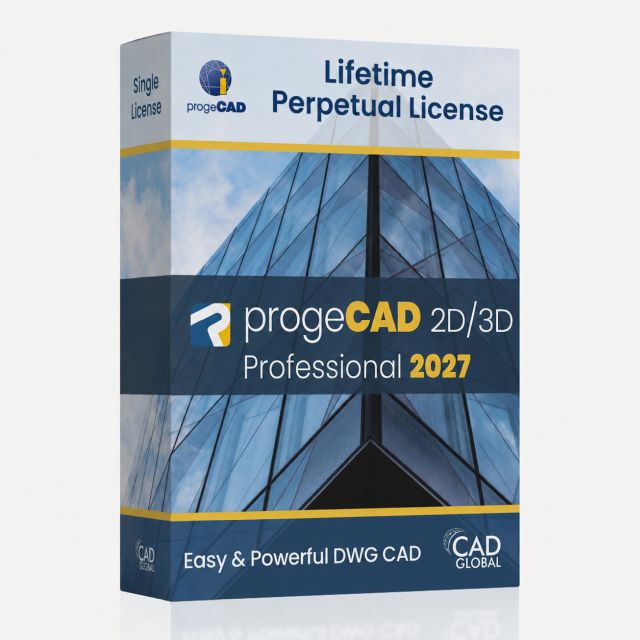
progeCAD 2027 2D/3D Professional SL – Trajna Lifetime Licenca
DWG 2D/3D program nalik AutoCAD-u. ☑️Garancija najniže cijene. BIM import: IFC i Revit. Express Tools, integrirani 3D rendering, VBA i .NET.
progeCAD 2027 2D/3D Professional NLM – mrežna licenca
Trajno Vlasništvo. Lifetime CAD mrežna licenca omogućava da više povremenih korisnika istovremeno dijeli licencu.